
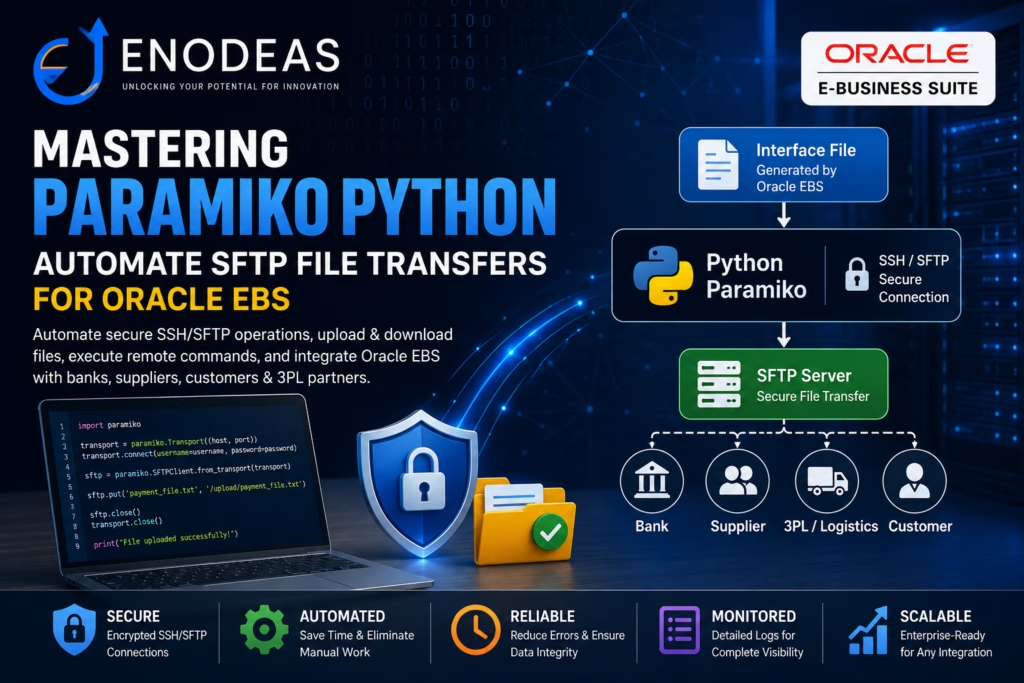
Paramiko Python: Automate SFTP File Transfers
Paramiko Python is one of the most powerful libraries for automating secure file transfers and remote server management. If you work with Oracle EBS, you’ll often need to exchange interface files with banks, suppliers, customers, third-party logistics (3PL) providers, payroll systems, and other external applications. Instead of manually uploading and downloading files every day, the Python Paramiko library enables you to automate secure SSH and SFTP operations, reducing manual effort and improving the reliability of Oracle EBS integrations.
In this tutorial, you’ll learn how to use Paramiko Python with practical Oracle EBS examples. We’ll cover installing the library, connecting to an SFTP server, uploading and downloading files, using SSH key authentication, handling errors, and building a production-ready file transfer solution that can be scheduled as part of your Oracle EBS integration process.
Why Use Paramiko for SFTP Automation?
Uploading Files
Automatically send payment files, invoices, shipping information, and inventory extracts from Oracle EBS to external partners.
Downloading Files
Retrieve bank statements, supplier invoices, ASN files, and inventory updates without manual intervention.
Executing Linux Commands
Run shell scripts remotely after a successful file transfer, such as starting an import process or archiving processed files.
Directory Management
Automatically organise inbound and outbound files by creating, moving, or deleting remote directories.
Installing Paramiko
Before using Paramiko, install it with pip:
pip install paramikoYou can verify the installation with:
python -c "import paramiko; print(paramiko.version)"Basic SFTP Connection Using Paramiko
The following example demonstrates how to connect to a remote SFTP server using a username and password:
import paramiko

hostname = "sftp.example.com"
port = 22
username = "sftp_user"
password = input("your_password")

transport = paramiko.Transport((hostname, port))
transport.connect(username=username, password=password)

sftp = paramiko.SFTPClient.from_transport(transport)

print("Connected successfully")

sftp.close()
transport.close()This creates an SFTP session over SSH and allows you to perform file operations securely.
Uploading a File to an SFTP Server
In Oracle EBS integrations, you may need to send outbound files to a third-party system. For example, a payment file generated by Oracle Payments may need to be uploaded to a bank’s SFTP server.
import paramiko

hostname = "sftp.example.com"
port = 22
username = "sftp_user"
password = "your_password"

local_file = "/u01/oracle/ebs/outbound/payment_file.txt"
remote_file = "/upload/payment_file.txt"

transport = paramiko.Transport((hostname, port))
transport.connect(username=username, password=password)

sftp = paramiko.SFTPClient.from_transport(transport)

sftp.put(local_file, remote_file)

print(f"File uploaded successfully: {remote_file}")

sftp.close()
transport.close()The put() method uploads a local file to the remote SFTP server.
Downloading a File from an SFTP Server
For inbound integrations, Oracle EBS may need to receive files such as bank statements, supplier invoices, or external transaction data.
import paramiko

hostname = "sftp.example.com"
port = 22
username = "sftp_user"
password = "your_password"

remote_file = "/download/bank_statement.txt"
local_file = "/u01/oracle/ebs/inbound/bank_statement.txt"

transport = paramiko.Transport((hostname, port))
transport.connect(username=username, password=password)

sftp = paramiko.SFTPClient.from_transport(transport)

sftp.get(remote_file, local_file)

print(f"File downloaded successfully: {local_file}")

sftp.close()
transport.close()The get() method downloads the file from the remote server to the Oracle EBS application tier.
Using SSH Key Authentication
In production environments, SSH key authentication is usually preferred over password authentication. It is more secure and easier to automate.
import paramiko

hostname = "sftp.example.com"
port = 22
username = "sftp_user"
private_key_path = "/home/oracle/.ssh/id_rsa"

key = paramiko.RSAKey.from_private_key_file(private_key_path)

transport = paramiko.Transport((hostname, port))
transport.connect(username=username, pkey=key)

sftp = paramiko.SFTPClient.from_transport(transport)

print("Connected using SSH key authentication")

sftp.close()
transport.close()If your private key is protected with a passphrase, you can provide it like this:
key = paramiko.RSAKey.from_private_key_file(
    private_key_path,
    password="key_passphrase"
)Listing Files in a Remote Directory
Before downloading files, it is common to check what files are available on the remote server.
import paramiko

hostname = "sftp.example.com"
port = 22
username = "sftp_user"
password = "your_password"

remote_directory = "/download"

transport = paramiko.Transport((hostname, port))
transport.connect(username=username, password=password)

sftp = paramiko.SFTPClient.from_transport(transport)

files = sftp.listdir(remote_directory)

for file in files:
    print(file)

sftp.close()
transport.close()This can be useful when processing multiple inbound files for Oracle EBS interface tables.
Checking If a Remote File Exists
You may want to validate whether a file exists before attempting to download it.
def remote_file_exists(sftp, remote_path):
    try:
        sftp.stat(remote_path)
        return True
    except FileNotFoundError:
return FalseExample usage:
if remote_file_exists(sftp, "/download/invoice_data.csv"):
    sftp.get("/download/invoice_data.csv", "/u01/oracle/ebs/inbound/invoice_data.csv")
    print("File downloaded")
else:
print("File not found")Automating Oracle EBS File Transfers
A practical Oracle EBS automation script should include:
- Secure connection handling
- Logging
- Error handling
- File validation
- Archive or backup processing
- Clean session closure
Here is a more complete example:
import paramiko
import logging
import os
from datetime import datetime

logging.basicConfig(
    filename="/u01/oracle/ebs/logs/sftp_transfer.log",
    level=logging.INFO,
    format="%(asctime)s - %(levelname)s - %(message)s"
)

hostname = "sftp.example.com"
port = 22
username = "sftp_user"
private_key_path = "/home/oracle/.ssh/id_rsa"

remote_file = "/download/invoice_data.csv"
local_file = "/u01/oracle/ebs/inbound/invoice_data.csv"

try:
    logging.info("Starting SFTP transfer")

    key = paramiko.RSAKey.from_private_key_file(private_key_path)

    transport = paramiko.Transport((hostname, port))
    transport.connect(username=username, pkey=key)

    sftp = paramiko.SFTPClient.from_transport(transport)

    sftp.stat(remote_file)
    sftp.get(remote_file, local_file)

    if os.path.exists(local_file):
        logging.info(f"File downloaded successfully: {local_file}")
    else:
        logging.error("File download failed")

except Exception as e:
    logging.error(f"SFTP transfer failed: {str(e)}")

finally:
    try:
        sftp.close()
        transport.close()
        logging.info("SFTP connection closed")
    except:
passThis structure is better suited for scheduled jobs, cron jobs, or Oracle EBS concurrent program integrations.
Best Practices
When using Paramiko for Oracle EBS file transfers, follow these best practices:
- Use SSH key authentication instead of passwords whenever possible.
- Store credentials securely and avoid hardcoding passwords in scripts.
- Use proper logging for troubleshooting and audit purposes.
- Validate files before and after transfer.
- Archive processed files to avoid duplicate processing.
- Use exception handling to capture connection or transfer failures.
- Restrict file permissions on private keys and configuration files.
- Test scripts in a non-production environment before deploying to production.
Conclusion
Paramiko is a powerful and flexible Python library for automating SFTP file transfers. In an Oracle EBS environment, it can help streamline inbound and outbound integrations, reduce manual effort, and improve reliability.
By combining Paramiko with proper logging, validation, and error handling, you can build secure and maintainable file transfer automation for Oracle EBS and external systems.


Pingback: The Ultimate Guide to Python Automation in Oracle EBS