
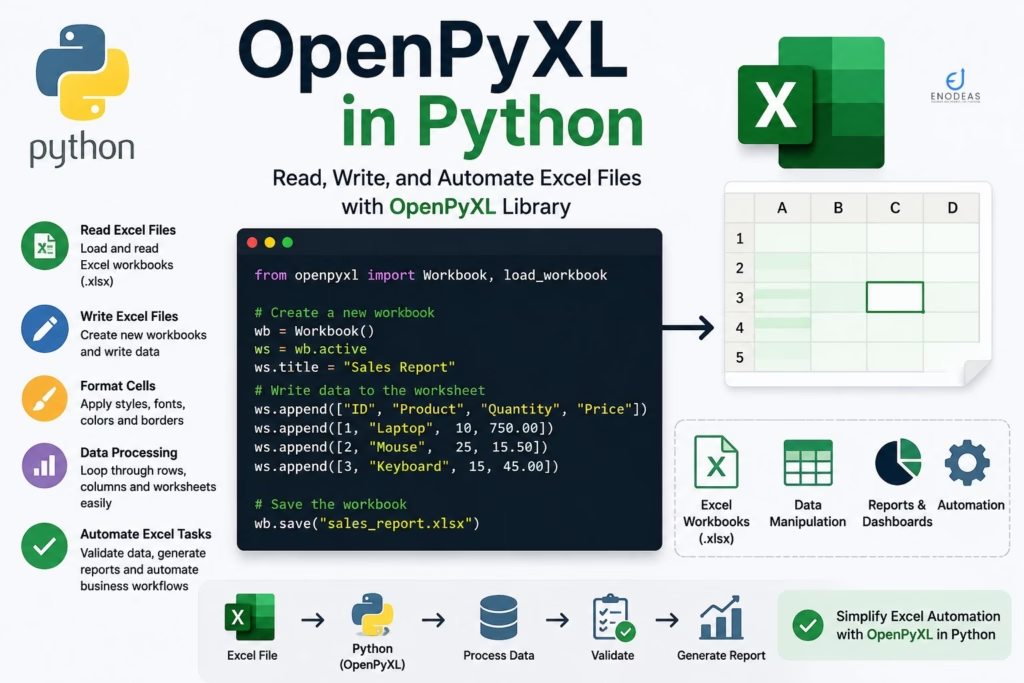
OpenPyXL in Python
Microsoft Excel is an integral part of almost every Oracle EBS implementation. From customer and supplier conversions to inventory item uploads and business reports, Excel files are widely used to exchange data between business users and Oracle EBS. OpenPyEL in Python is used to access excel sheets.
Handling these spreadsheets manually can be time-consuming and error-prone. This is where Python’s OpenPyXL library simplifies the process. It enables Oracle EBS developers to read, create, update, validate, and format Excel workbooks programmatically, making data migration and reporting faster, more accurate, and easier to maintain.
In this guide, you’ll learn how to use openpyxl for Python Automation in Oracle EBS, explore its key features, and implement practical examples for automating Excel-based tasks in Oracle EBS.
What is OpenPyXL?
OpenPyXL is an open-source Python library used to read, write, modify, and format Microsoft Excel (.xlsx) files. Unlike CSV files, Excel workbooks can contain multiple worksheets, formulas, charts, conditional formatting, images, and cell styling. The openpyxl library allows Python developers to work with all of these features without requiring Microsoft Excel to be installed.
For Oracle EBS developers, openpyxl is particularly useful because most business users exchange data through Excel templates. Whether you’re performing a one-time data migration or building a daily automation process, openpyxl helps eliminate manual spreadsheet processing.
Key Features of openpyxl
- Read existing Excel workbooks
- Create new Excel files
- Update rows and columns
- Apply formatting and styles
- Insert formulas
- Create multiple worksheets
- Add charts and images
- Protect worksheets
- Validate business data
- Handle large Excel files
Why Use openpyxl in Oracle EBS?
Oracle EBS implementations rely heavily on Excel files for both business operations and technical processes. Instead of manually reviewing and preparing spreadsheets, openpyxl allows you to automate the entire workflow.
Some common Oracle EBS scenarios include:
| Oracle EBS Module | Excel Automation |
|---|---|
| Inventory | Item Conversion |
| Order Management | Sales Order Upload |
| Purchasing | Supplier Conversion |
| Receivables | Customer Upload |
| General Ledger | Journal Upload |
| Pricing | Price List Upload |
| Projects | Resource Upload |
| Assets | Asset Conversion |
How to install openpyxl library for Excel file handling in Python
Install the library using pip install openpyxl:
pip install openpyxlVerify the installation of pip install OpenPyXL:
import openpyxl
print(openpyxl.__version__)3.0.10
Creating an Excel Workbook using OpenPyXL in Python library
Creating a workbook is straightforward:
import openpyxl

# 1. Create a brand new workbook
wb = openpyxl.Workbook()

# 2. Get the active sheet and rename it
ws = wb.active
ws.title = "Customers"

# 3. Add your specific column headers
ws.append(["Customer Number", "Customer Name", "Country"])

# 4. Add example data rows (optional)
ws.append([1001, "Acme Corp", "United States"])
ws.append([1002, "Global Tech", "India"])
ws.append([1003, "Euro Industries", "Germany"])

# 5. Save the workbook to a file
wb.save("Customers.xlsx")

print("Workbook 'Customers.xlsx' created successfully!")Workbook 'Customers.xlsx' created successfully!
Reading Excel Files
Business users often submit Excel templates containing Oracle EBS master data.
from openpyxl import load_workbook

wb = load_workbook("customers.xlsx")

sheet = wb["Customers"]

for row in sheet.iter_rows(min_row=2, values_only=True):
print(row)(1001, 'Acme Corp', 'United States') (1002, 'Global Tech', 'India') (1003, 'Euro Industries', 'Germany')
Typical Oracle EBS use cases include reading:
- Customer Master
- Supplier Master
- Inventory Items
- Sales Orders
- Purchase Orders
Updating Existing Workbooks using OpenPyXL in Python
sheet["D2"] = "Validated"

wb.save("customers.xlsx")Customer Number Customer Name Country
1001 Acme Corp United States Validated
1002 Global Tech India
1003 Euro Industries Germany
This is useful for marking records as:
- Processed
- Failed
- Uploaded
- Duplicate
- Requires Review
Formatting Excel Reports using OpenPyXL in Python
Business users expect well-formatted reports.
from openpyxl.styles import Font

sheet["A1"].font = Font(bold=True)You can also apply:
- Background colors
- Borders
- Number formats
- Conditional formatting
- Cell alignment
Validating Oracle EBS Templates
Before loading data into Oracle EBS, validate:
- Mandatory columns
- Duplicate values
- Date formats
- Numeric values
- Organization codes
- Item numbers
Example:
if not customer_number:
print("Customer Number is mandatory")Performing validation early helps reduce import failures.
Generating Oracle EBS Reports using OpenPyXL in Python
A common requirement is to export query results to Excel.
Typical reports include:
- Open Sales Orders
- Inventory On-Hand
- Purchase Orders
- Customer Balances
- Interface Error Reports
Workflow:
- Query Oracle Database.
- Load results into Python.
- Write data to Excel using openpyxl.
- Apply formatting.
- Email the workbook to users.
Practical Example: Customer Upload Automation
Business Scenario
The business sends a daily customer workbook.
Automation Flow
- Read the Excel workbook.
- Validate mandatory fields.
- Check for duplicate customer numbers.
- Insert valid records into Oracle EBS interface tables.
- Generate an exception report for invalid rows.
- Notify users via email.
This process reduces manual effort and improves data quality.
Best Practices of OpenPyXL in Python
- Validate data before database insertion.
- Avoid hard-coded file paths.
- Archive processed workbooks.
- Maintain detailed logs.
- Process large workbooks efficiently.
- Separate business logic from Excel handling code.
- Protect sensitive data in reports.
Common Challenges of OpenPyXL in Python
| Challenge | Solution |
|---|---|
| Missing mandatory fields | Validate before processing |
| Incorrect date formats | Standardize date parsing |
| Duplicate records | Perform duplicate checks |
| Large Excel files | Stream rows and process in batches |
| Formatting inconsistencies | Apply standard report templates |
FAQs of OpenPyXL in Python
Can openpyxl read Excel files without Microsoft Excel?
Yes. It works independently of Microsoft Excel.
Can openpyxl create Oracle EBS conversion templates?
Yes. You can generate templates with mandatory columns, formatting, and validation rules.
Can openpyxl update existing workbooks?
Yes. It supports reading, modifying, and saving existing .xlsx files.
Is openpyxl suitable for large Oracle EBS data migrations?
Yes, although for very large datasets you should process rows efficiently and combine it with database batch operations.
Can openpyxl generate reconciliation reports?
Absolutely. It is commonly used to create professionally formatted Excel reports for Oracle EBS reconciliations, interface exceptions, and audit summaries.
Conclusion
The openpyxl library is an essential tool for Python Automation in Oracle EBS. It simplifies Excel-based business processes by automating workbook creation, validation, formatting, reporting, and data migration. When combined with Python’s Oracle database connectivity, openpyxl enables Oracle EBS developers to build reliable, maintainable, and efficient automation solutions that reduce manual effort and improve business productivity.
Related Articles
- The Ultimate Guide to Python Automation in Oracle EBS
- Using oracledb with Oracle EBS
- Automating Oracle EBS REST APIs with requests
- Secure File Transfers in Oracle EBS Using Paramiko
- Scheduling Python Scripts for Oracle EBS Automation


Pingback: The Ultimate Guide to Python Automation in Oracle EBS
Pingback: 10 Minutes to Pandas (Python Tutorial) - A Complete Guide