
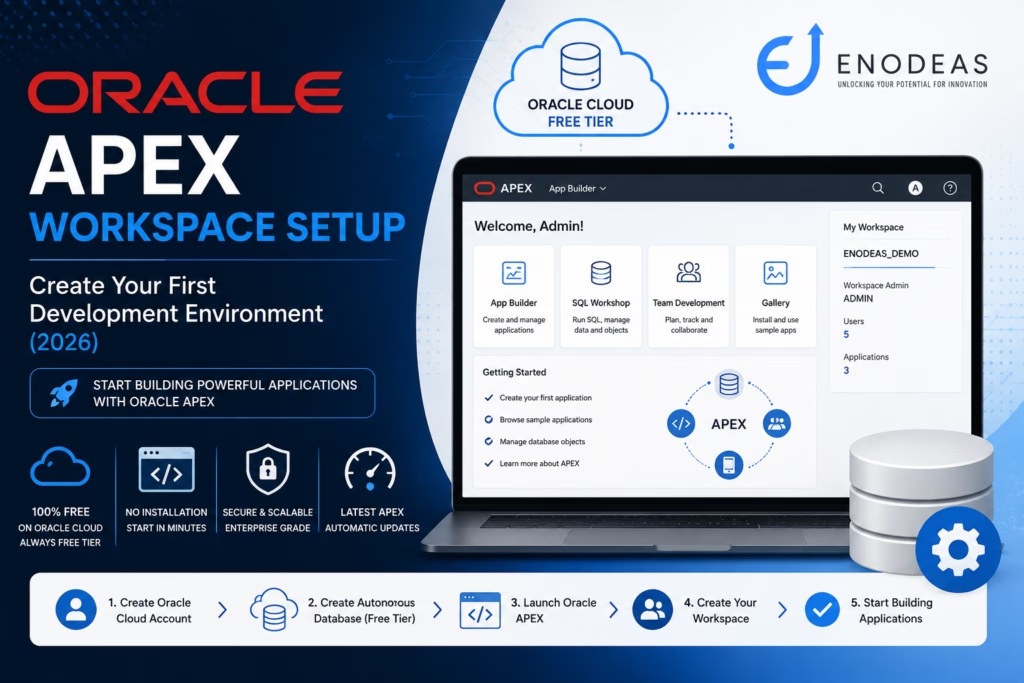
Oracle APEX Workspace Setup
After understanding the basic of Oracle apex and apex’s architecture, the next step is to setup the Oracle apex workspace for development environment.
One of the biggest advantages of Oracle apex is that you can start building enterprise applications without installing complex software on your local machine. Oracle provides a free cloud environment where you can create your workspace and begin developing within minutes.
In this guide, we’ll walk through the complete Oracle APEX workspace setup process using Oracle cloud environment.
What is an Oracle APEX Workspace?
A Workspace is your dedicated development environment within Oracle APEX.
Think of it as your personal development project where you can:
- Create applications
- Build database objects
- Write SQL and PL/SQL
- Manage users
- Import and export applications
- Develop enterprise solutions
Each workspace is isolated, allowing multiple developers or teams to work independently on the same Oracle Database.
Prerequisites
Before creating your workspace, make sure you have:
Internet Connection
Email Address
Modern Browser
- Chrome
- Edge
- Firefox
No software installation is required.
Option 1: Oracle APEX Free Workspace (Recommended)
Oracle offers a completely free hosted Oracle APEX environment. You can request a free apex workspace using this link.
Perfect for:
- Learning Oracle APEX
- Practice
- Personal Projects
- Demonstrations
- Small Applications
Advantages:
- No installation
- Free forever
- Latest APEX version
- Automatic upgrades
- Oracle manages infrastructure
Option 2: Oracle APEX Workspace Cloud Free Tier
If you’re planning to build enterprise applications, Oracle Cloud Free Tier is the better choice.
Benefits include:
- Always Free Database
- Oracle APEX
- ORDS
- Oracle Database 23ai
- Object Storage
- Autonomous Database
You’ll have a production-like environment that closely matches enterprise deployments. Please review the article for creating the Oracle Account for APEX.
Understanding the Oracle APEX Home Page
After successfully logging in to Oracle APEX, you’ll be greeted with the Oracle APEX Home Page, also known as the Development Environment. This is where every Oracle APEX developer starts building applications.
If this is your first time using Oracle APEX, don’t worry. The interface is intuitive, and once you understand the purpose of each section, navigating the platform becomes straightforward.
Think of the Oracle APEX Home Page as your development workspace. From here, you can create applications, manage database objects, collaborate with your team, and administer your workspace.
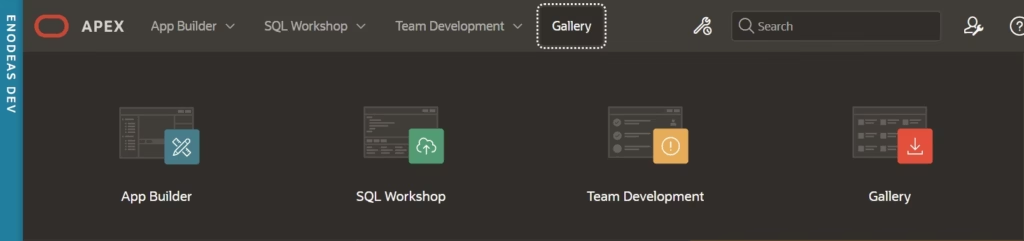
A typical Oracle APEX Home Page includes the following modules
The main components are:
1. App Builder
App Builder is the heart of Oracle APEX Home Page.
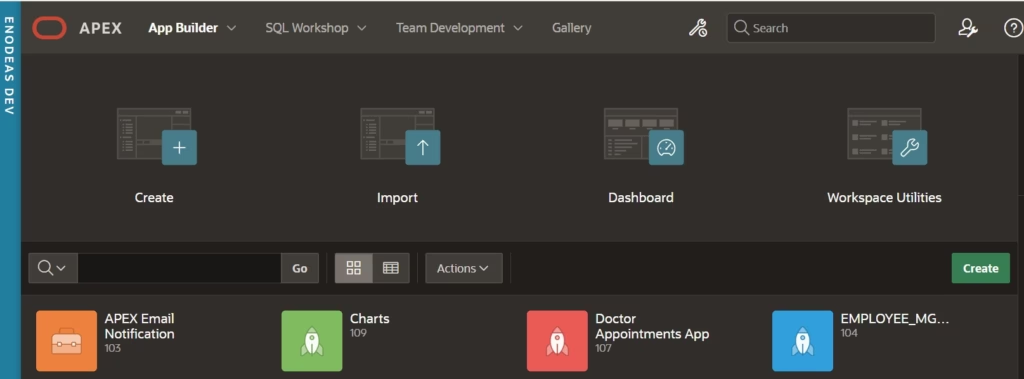
This is where you’ll spend most of your time designing and developing applications.
Using App Builder, you can create:
- Data entry forms
- Interactive reports
- Interactive grids
- Charts and dashboards
- Cards
- Navigation menus
- Authentication pages
- Master-Detail pages
- REST-enabled applications
Beginner Example
Suppose you want to build an Employee Management System.
Using App Builder, you can create:
- Employee List Page
- Add Employee Form
- Employee Dashboard
- Department Report
- Salary Charts
without writing HTML, CSS, or JavaScript.
Oracle APEX automatically generates most of the application for you.
Inside App Builder
Once you open App Builder, you’ll notice several important components.
Application
An Application is a collection of web pages that work together.
Example:
Employee Management System

├── Login Page
├── Dashboard
├── Employees
├── Departments
├── Reports
├── Settings
Everything inside this application is managed through App Builder.
Pages
Each application consists of multiple pages.
Examples include:
- Login Page
- Dashboard
- Report Page
- Form Page
- Calendar
- Chart
- Interactive Grid
You can add, edit, duplicate, or delete pages with just a few clicks.
Shared Components
Shared Components store reusable objects that can be used across multiple pages.
Examples include:
- Navigation Menu
- Lists of Values (LOVs)
- Authentication Schemes
- Authorization Schemes
- Breadcrumbs
- Templates
Instead of creating these repeatedly, you define them once and reuse them throughout the application.
Page Designer
Page Designer is one of the most powerful features in Oracle APEX.
It provides a visual interface for designing pages without writing code.
The Page Designer is divided into three areas:
- Rendering Tree
- Layout
- Property Editor
From here, you can:
- Add buttons
- Create reports
- Add regions
- Configure page items
- Create validations
- Add processes
- Define Dynamic Actions
2. SQL Workshop
While App Builder is used to create applications, SQL Workshop is where you work directly with the Oracle Database.
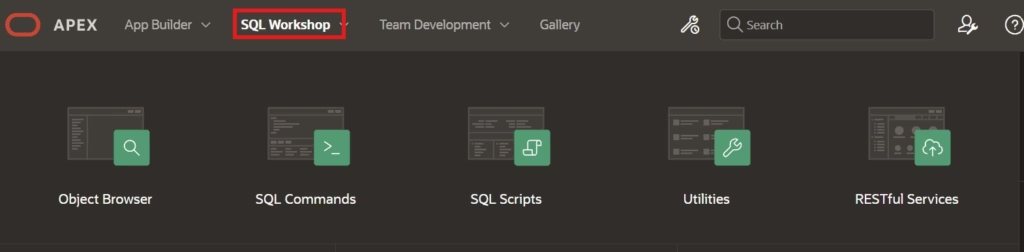
If you’re familiar with SQL Developer, you’ll find SQL Workshop easy to use.
You can:
- Create tables
- Create views
- Execute SQL queries
- Write PL/SQL programs
- Import data
- Export data
- Browse database objects
Think of SQL Workshop as the database development environment within Oracle APEX.
SQL Commands
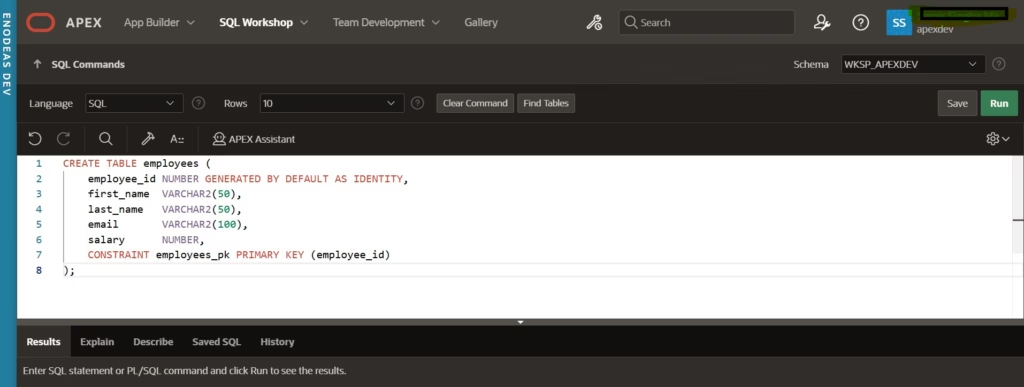
SQL Commands allow you to execute SQL statements instantly.
For example, to create a simple employee table:
CREATE TABLE employees (
    employee_id NUMBER GENERATED BY DEFAULT AS IDENTITY,
    first_name  VARCHAR2(50),
    last_name   VARCHAR2(50),
    email       VARCHAR2(100),
    salary      NUMBER,
    CONSTRAINT employees_pk PRIMARY KEY (employee_id)
);
Click Run, and Oracle APEX creates the table immediately.
Object Browser
Object Browser lets you explore everything inside your schema.
You can view:
- Tables
- Views
- Indexes
- Sequences
- Packages
- Procedures
- Functions
- Triggers
Beginner Example
After creating the EMPLOYEES table, open Object Browser to:
- Review the table structure
- Check the primary key
- Add new columns
- Insert sample data
SQL Scripts
SQL Scripts allow you to save reusable SQL and PL/SQL code.
This is useful when working on larger projects.
For example:
CreateTables.sql

InsertSampleData.sql

CreatePackages.sql

CreateViews.sql
Instead of rewriting code, simply execute the saved script whenever needed.
3. Team Development
Real-world Oracle APEX projects are rarely developed by a single person.
Team Development helps teams manage project activities within Oracle APEX.
You can track:
- Bugs
- Enhancement requests
- New features
- Tasks
- Milestones
- Feedback
Example
Imagine your team is building a Procurement Approval Application.
You could create tasks such as:
| Task | Assigned To | Status |
|---|---|---|
| Create Login Page | Ram | Completed |
| Build Employee Form | John | In Progress |
| Create Dashboard | Raquib | Pending |
| Test Approval Workflow | QA Team | Pending |
This helps keep development organized without relying solely on external tools.
4. Gallery
The Gallery provides ready-made sample applications and starter templates.
Instead of building everything from scratch, you can install sample applications to learn best practices.
Examples include:
- Project Management
- Customer Tracker
- Sample Charts
- Sample Reports
- Mobile Applications
For beginners, exploring these applications is one of the fastest ways to understand how Oracle APEX applications are designed.
5. Administration
The Administration section allows Workspace Administrators to manage the Oracle APEX environment.
Typical administrative tasks include:
- Creating users
- Resetting passwords
- Assigning developer roles
- Monitoring workspace usage
- Managing security settings
- Configuring email
- Importing and exporting applications
If you’re using Oracle APEX in an enterprise environment, you’ll frequently work with this module.
6. Monitor Activity
As your applications grow, performance monitoring becomes essential.
Oracle APEX provides built-in tools to monitor:
- User Sessions
- Page Views
- Performance
- SQL Execution
- Application Errors
- Activity Logs
These insights help developers identify slow-running pages, optimize SQL queries, and improve overall application performance.
How These Components Work Together
To understand the workflow, consider a simple scenario where you’re building an Employee Management application:
Step 1 – Create Database Objects
Use SQL Workshop to create the EMPLOYEES table.
Step 2 – Build the Application
Use App Builder to create an application based on the EMPLOYEES table.
Step 3 – Customize the User Interface
Use Page Designer to add reports, forms, charts, and navigation.
Step 4 – Test the Application
Run the application and verify that users can add, update, and delete employee records.
Step 5 – Manage the Project
Track enhancements and bugs using Team Development.
Step 6 – Deploy the Application
Export the application and deploy it to your test or production environment.
Oracle Expert Tip
When you’re just starting with Oracle APEX, focus on mastering App Builder and SQL Workshop first. These two modules are where you’ll spend nearly 90% of your development time. Once you’re comfortable creating forms, reports, and database objects, you can gradually explore advanced features such as Team Development, Shared Components, Dynamic Actions, and REST integrations.
Common Workspace Components
| Component | Purpose |
|---|---|
| App Builder | Create applications |
| SQL Workshop | Database development |
| Team Development | Agile project management |
| Gallery | Sample applications |
| Administration | User management |
| Monitor Activity | Performance monitoring |
Best Practices
Use meaningful workspace names.
- Separate Development, UAT, and Production workspaces.
- Keep database objects organized.
- Use SQL Scripts for version control.
- Export applications regularly.
- Use strong passwords.
Common Mistakes
- Creating applications in the ADMIN schema
- Mixing Development and Production
- Not exporting applications
- Using SYS or SYSTEM users
- Weak passwords
Key Takeaways
- A Workspace is your Oracle APEX development environment.
- Oracle provides free hosted APEX environments for learning.
- Oracle Cloud Free Tier is ideal for enterprise-style development.
- SQL Workshop is where you’ll create and manage database objects.
- App Builder is where you’ll build web applications.
- Following best practices from the beginning helps keep your applications maintainable and scalable.
Frequently Asked Questions
Yes. Oracle APEX is included with Oracle Database, and Oracle also offers free environments for learning and development.
Yes. You can install Oracle APEX on Oracle Database XE or other supported Oracle Database editions, although Oracle Cloud is often the easiest option for beginners.
No. You can use the free Oracle APEX service or install it locally. Oracle Cloud Free Tier is recommended because it closely resembles enterprise deployments.
Yes, but in enterprise environments it’s generally better to create separate workspaces for different teams or projects to simplify administration and access control.
Conclusion
Setting up your Oracle APEX workspace is the first practical step toward building enterprise applications. Within a few minutes, you can create your own development environment, design database objects, and start developing responsive web applications without installing complex software.


Pingback: Oracle APEX Architecture: A Complete Guide