
App Builder & SQL Workshop in Oracle APEX
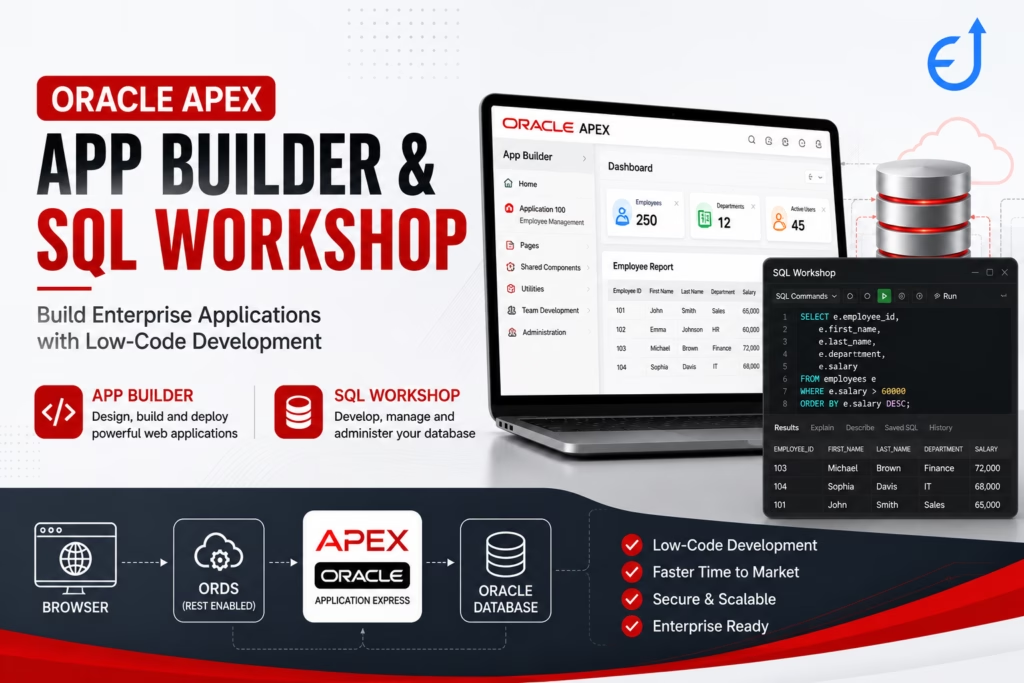
Oracle APEX provides two powerful tools (App Builder and SQL Workshop) that simplify application development without requiring complex configurations:
- App Builder – Used to create web applications with forms, reports, dashboards, and charts.
- SQL Workshop – Used to manage database objects, write SQL and PL/SQL, import/export data, and administer your workspace.
Understanding these two components is the first step toward becoming an Oracle APEX developer. In this guide, you’ll learn how they work together and how to use them effectively.
What is Oracle APEX App Builder?
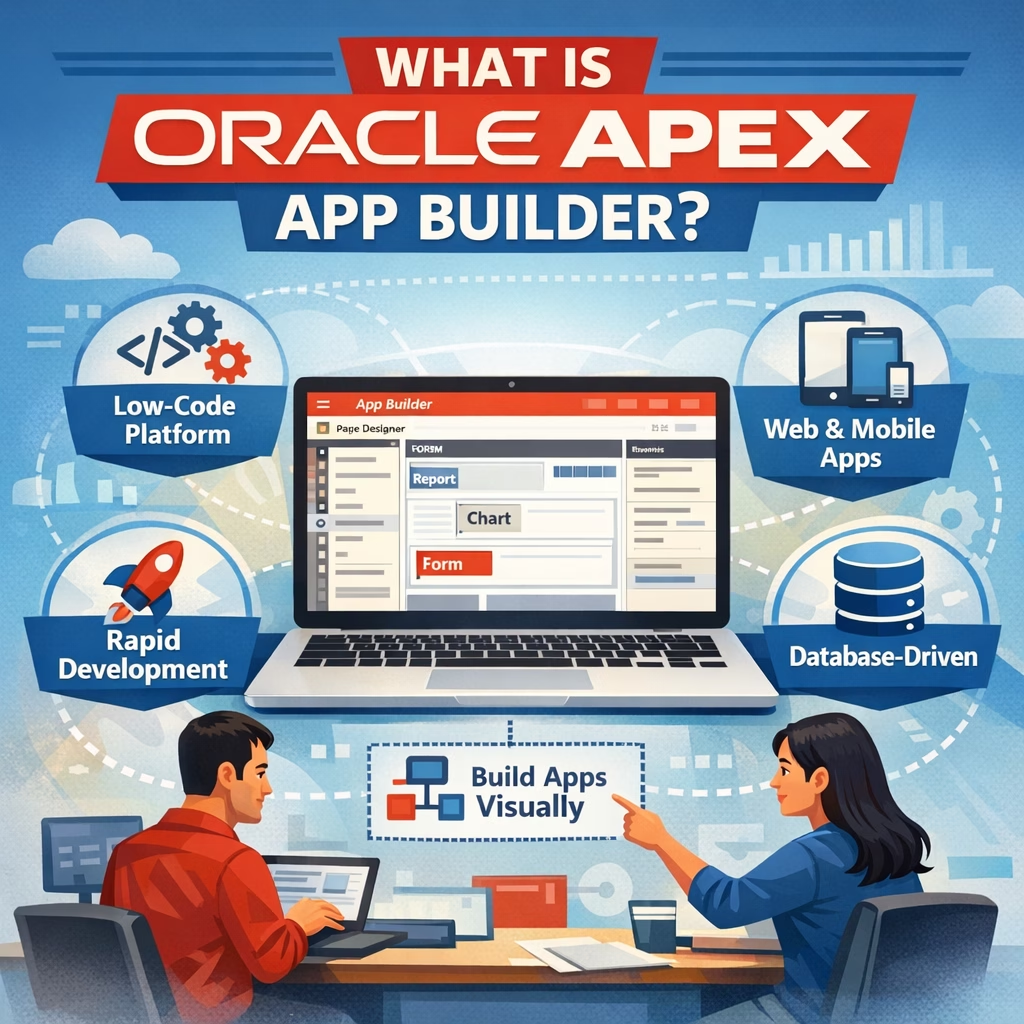
App Builder is the primary development environment in Oracle APEX. It provides a browser-based interface where developers can design, build, and deploy enterprise applications without writing extensive front-end code.
With App Builder, you can:
- Create applications
- Build responsive pages
- Design forms and reports
- Add charts and dashboards
- Develop REST-enabled applications
- Manage navigation menus
- Configure authentication and authorization
- Integrate PL/SQL business logic
Key Features
- Low-code development
- Drag-and-drop interface
- Responsive Universal Theme
- Built-in security
- REST API integration
- Declarative development
- Team development support
App Builder Architecture
Browser
     │
     ▼
Oracle APEX
(App Builder)
     │
     ▼
Application Metadata
     │
     ▼
Oracle Database
Unlike traditional development tools, App Builder stores application definitions as metadata in the Oracle Database. This enables rapid deployment and simplified maintenance.
Main Components of App Builder
1. Applications
This section lists all applications in your workspace.
You can:
- Create new applications
- Import/export applications
- Duplicate applications
- Delete applications
- Deploy applications
2. Pages
Each application consists of multiple pages, such as:
- Home
- Dashboard
- Employees
- Customers
- Reports
- Administration
Each page can contain various regions, including forms, reports, charts, calendars, and maps.
3. Shared Components
Shared Components are reusable objects that can be used across the application.
Examples include:
- Navigation Menus
- Lists of Values (LOVs)
- Authentication Schemes
- Authorization Schemes
- Breadcrumbs
- Templates
- Application Items
- Web Credentials
4. Team Development
Track:
- Bugs
- Features
- To-do lists
- Milestones
- Feedback
This feature helps coordinate development activities among multiple team members.
5. Application Utilities
Useful utilities include:
- Advisor
- Session State Viewer
- Debugging
- Export
- Import
- Build Options
What is SQL Workshop?
SQL Workshop is Oracle APEX’s built-in database development environment. It enables developers to create and manage database objects directly from the browser.
You can:
- Write SQL queries
- Execute PL/SQL blocks
- Create tables
- Build indexes
- Manage views
- Import data
- Export data
- Generate DDL
- Monitor database objects
SQL Workshop Components
SQL Commands
Run ad hoc SQL statements.
Example:
SELECT employee_id,
       first_name,
       last_name,
       salary
FROM employees
ORDER BY salary DESC;
SQL Scripts
Store reusable SQL or PL/SQL scripts.
Example:
- Table creation
- Data migration
- Seed data
- Package deployment
Object Browser
View and manage:
- Tables
- Views
- Indexes
- Sequences
- Packages
- Functions
- Procedures
- Triggers
- Synonyms
Utilities
Includes:
- Data Workshop
- Object Reports
- Recycle Bin
- RESTful Services
- Generate DDL
- Data Loading
RESTful Services
Create REST APIs directly from the Oracle Database.
Typical use cases include:
- Mobile applications
- Oracle Integration Cloud
- Third-party integrations
- JavaScript front ends
App Builder vs SQL Workshop
| Feature | App Builder | SQL Workshop |
|---|---|---|
| Purpose | Build applications | Manage database |
| Forms | ✔ | ✖ |
| Reports | ✔ | ✖ |
| Charts | ✔ | ✖ |
| SQL Execution | Limited | ✔ |
| PL/SQL Testing | Limited | ✔ |
| Database Objects | ✖ | ✔ |
| Import Data | Limited | ✔ |
| Create REST APIs | Partial | ✔ |
How App Builder and SQL Workshop Work Together
A common development workflow is:
- Create database tables in SQL Workshop.
- Load sample data using Data Workshop.
- Build forms and reports in App Builder.
- Add PL/SQL business logic.
- Test the application.
- Deploy the application.
This seamless integration allows you to develop database-driven applications without switching between multiple tools.
Example: Employee Management Application
Step 1: Create the Table
You can create a Oracle table using SQL Workshop. You can get details of DDL Statements in another article.
CREATE TABLE employees (
    employee_id NUMBER GENERATED BY DEFAULT AS IDENTITY,
    first_name  VARCHAR2(50),
    last_name   VARCHAR2(50),
    department  VARCHAR2(50),
    salary      NUMBER,
    PRIMARY KEY (employee_id)
);Step 2: Insert Sample Data
Add rows into a table from SQL Workshop
INSERT INTO employees
(first_name,last_name,department,salary)
VALUES
('John','Smith','Sales',65000);

COMMIT;Step 3: Build the Application
In App Builder:
- Create Application
- Select “Table”
- Choose EMPLOYEES
- Generate Forms and Interactive Report
- Run the application
Within minutes, you’ll have a responsive CRUD application for managing employee records.
Best Practices
- Design the database schema before building pages.
- Use meaningful page names and region titles.
- Keep business logic in PL/SQL packages rather than page processes.
- Use Shared Components for reusable LOVs and authentication schemes.
- Organize SQL scripts into folders for easier maintenance.
- Regularly export applications and SQL scripts for version control.
- Enable Session Debug during development to troubleshoot issues.
Common Mistakes Beginners Make
- Creating tables directly in production.
- Mixing business logic with UI components.
- Ignoring Shared Components.
- Not using SQL Scripts for repeatable deployments.
- Hardcoding values instead of using LOVs.
- Skipping application backups before major changes.
Conclusion
App Builder and SQL Workshop are the foundation of Oracle APEX development. While SQL Workshop handles database design and SQL/PL/SQL development, App Builder transforms those database objects into modern, responsive web applications with minimal coding. Mastering these two environments will significantly accelerate your Oracle APEX development journey.

Pingback: Oracle APEX Workspace Setup: Step-by-Step Beginner Guide